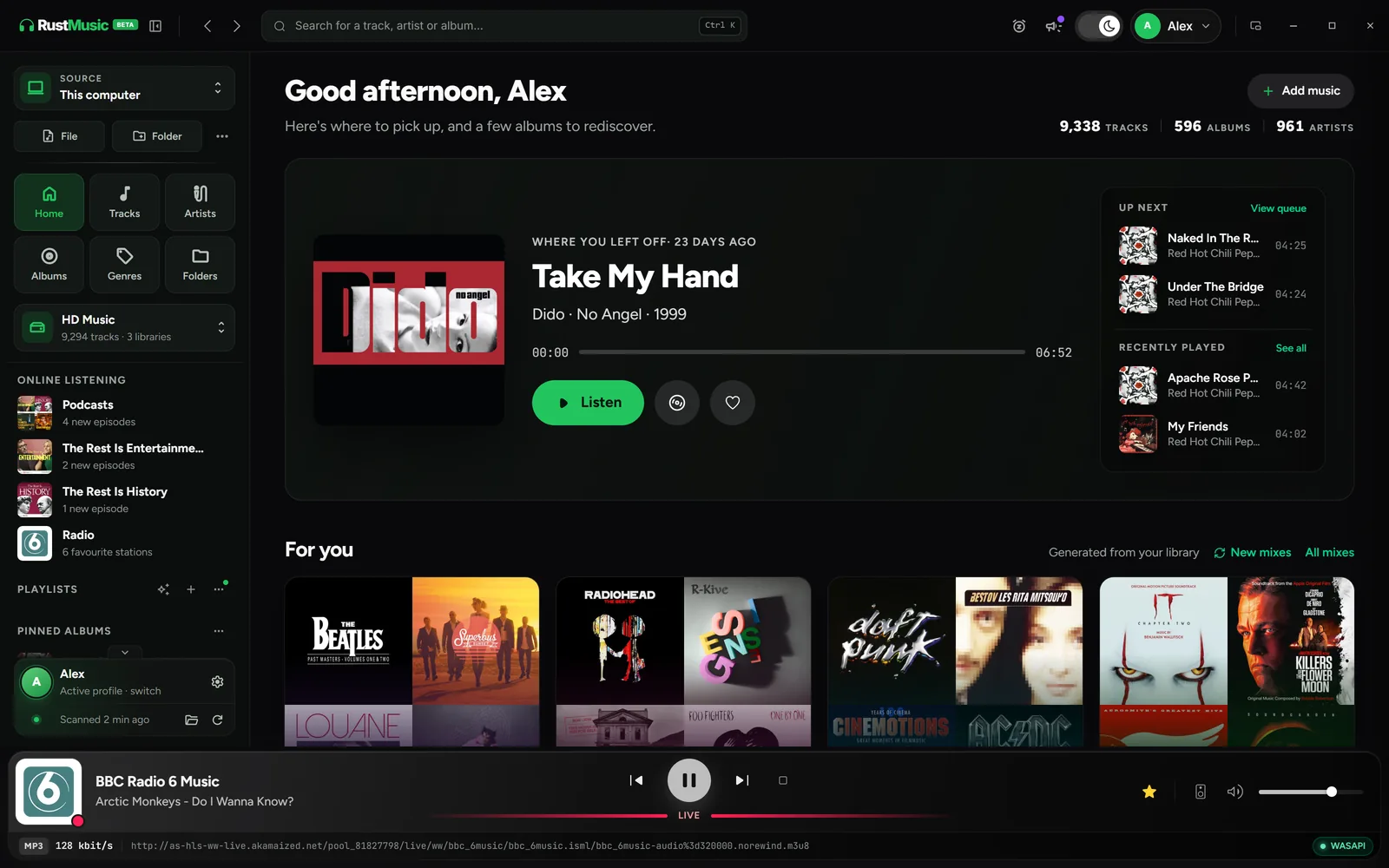
RustMusic plays the files in your collection, on your computer, an external drive or a NAS. In exclusive mode it can send them to your DAC unchanged, at their original sample rate when the DAC supports it, and the player shows the real format and the audio chain, from the file to the output.
It is free, released under the GPL-3.0 licence, with no account, no ads and no telemetry. Version 0.3.0 runs on Windows, macOS (Apple Silicon and Intel) and Linux, with the same interface and the same audio settings. Some network features are still in beta, and there is no mobile app.
What RustMusic gives you
Bit-perfect playback you can check
In exclusive mode (WASAPI on Windows, direct ALSA on Linux, CoreAudio “hog mode” on macOS), RustMusic reserves the output and can pass the samples through as they are. The “Bit-perfect” badge only appears when the source is lossless and sent unchanged, with matching sample rate and channels and neutral ReplayGain.
From MP3 to native DSD
FLAC, ALAC, WAV, AIFF, MP3, AAC/M4A, Ogg Vorbis and Opus, plus uncompressed DSF and DFF files. With “Native DSD (DoP)”, DSD goes untouched to a compatible DAC (DSD64 to DSD256 depending on the DAC); otherwise it is converted to PCM so it still plays.
Gapless playback and Replay Gain
With gapless playback on, the tracks of an album run into each other without a break, even when the output resamples. Replay Gain evens out volume per track or per album, with an adjustable pre-amp; turn it off for bit-perfect playback.
A tag workshop
Fix a track, an album or a selection in a single table, and fill in details online from MusicBrainz or Deezer, with no account. Nothing is written until you click “Write”, and the batch history lets you undo. Tags are written to MP3, FLAC, DSF and DFF files.
Library and smart playlists
Browse your collection by album, artist, genre, year or folder. Smart playlists build themselves from rules, using 24 fields and any tag in your files. On a rescan, only new or changed files are read again.
A player that can shrink out of the way
The mini player can stay on top of other windows, and the micro player shrinks RustMusic to a square of cover art. Shortcuts are customisable, and decoding quality can be lowered for modest computers.
Getting started with RustMusic
- 1
Install RustMusic
Download the version for Windows, macOS or Linux and install it: no account is needed. The installers aren’t signed with a commercial certificate, so Windows and macOS may show a warning on first launch; the installation guide explains how to open the app.
- 2
Add your music folders
Create a library, then click “Add a folder” for each folder: local disk, external drive or NAS. RustMusic picks up the tags and covers already in your files without changing them; nothing is written to them unless you edit the tags.
- 3
Check the audio chain
In Settings → Audio, choose your DAC, switch to exclusive mode and turn on “Native DSD (DoP)” if needed. Play a lossless track with volume at 100% and ReplayGain off: the “Bit-perfect” badge confirms the file is sent unchanged.
Frequently asked questions
Is RustMusic free?
Yes. RustMusic is free and open-source software, under the GPL-3.0 licence: anyone can use it, study its code, modify it and redistribute it. It needs no account, shows no ads and sends no telemetry. Its code is public on GitHub.
Can I keep foobar2000 installed alongside it?
Yes. RustMusic installs separately and reads your files without changing them, unless you edit the tags. Worth knowing: during playback in exclusive mode, RustMusic reserves the chosen output, and other apps have no sound on it until playback stops.
Which formats does RustMusic play?
FLAC, ALAC, WAV, AIFF, MP3, AAC/M4A, Ogg Vorbis, Opus, plus uncompressed DSD files in DSF and DFF format. Tag editing works on MP3, FLAC, DSF and DFF files.
Does RustMusic run on Linux and macOS?
Yes: Windows 10 and 11 (64-bit), macOS 10.15 and later (Apple Silicon and Intel) and 64-bit Linux, as .deb, .rpm or AppImage. A compatibility build is available for older distributions such as Ubuntu 22.04 or Debian 12.
Is there a mobile app or streaming?
No. RustMusic plays your own files, on your computer, an external drive or a NAS, and has no built-in Qobuz or Tidal. Its built-in DLNA server shares your library on the local network, and playback to UPnP/DLNA or AirPlay players is available in beta.
Try RustMusic with your music
Free and open source, no account. It installs alongside your other players and reads your files without changing them.
Other alternative pages
Further reading
foobar2000 is a trademark of its owner. RustMusic is an independent project with no connection to foobar2000: this page only describes RustMusic.