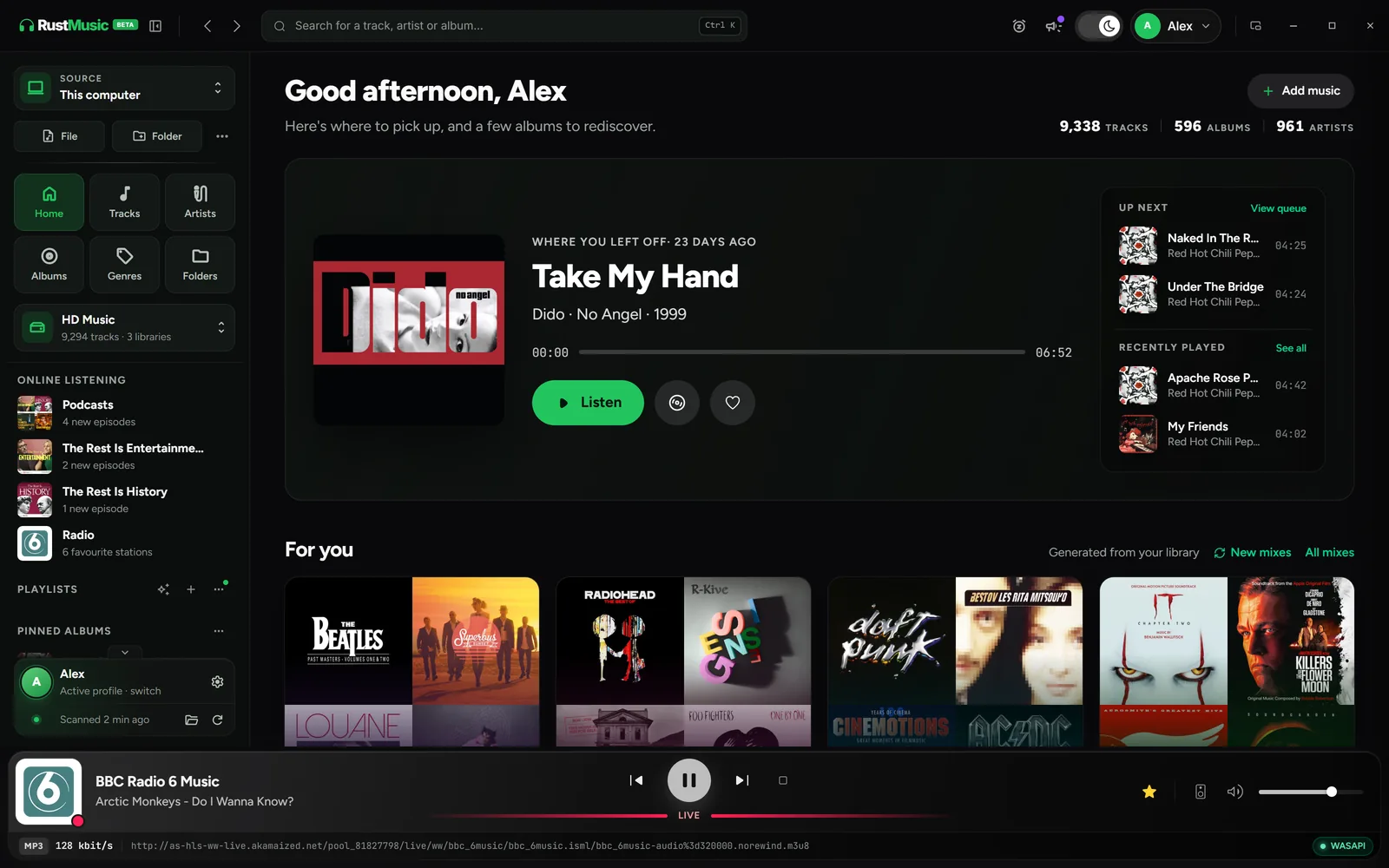
RustMusic is a player for your collection of files: FLAC, ALAC, WAV, AIFF, DSF, DFF, as well as MP3, AAC, Ogg Vorbis and Opus. In exclusive mode, it sends the samples to your DAC untouched, at their original sample rate, and shows you what really happens between the file and the output.
Around playback, you get a library browsable by album, artist, genre, year and folder, gapless playback, a tag workshop linked to MusicBrainz and Deezer, and synced lyrics. All with no account, no ads and no telemetry.
What RustMusic gives you
Bit-perfect in exclusive mode
RustMusic reserves the output: WASAPI exclusive on Windows, direct ALSA access on Linux, CoreAudio hog mode on macOS. The “Bit-perfect” badge appears when a lossless source is sent unchanged, with matching sample rate and channels and neutral ReplayGain.
Native DSD over DoP
Your DSF and DFF files go over DoP to a compatible DAC, which decodes them natively: DSD64, DSD128 or DSD256 depending on the DAC. If the DAC rejects DoP, DSD is converted to PCM so it still plays.
The audio chain, explained
The player’s status line shows the real format and the audio chain as badges. Hover over it to follow each step, from the file to the DAC. If exclusive mode or native DSD does not go through, RustMusic tells you why: format rejected, DAC busy, sample rate converted…
Network players and AirPlay (beta)
Send music to a UPnP/DLNA player: the file goes out untouched and the device decodes it, in hi-res if it supports it. AirPlay 1 works in CD quality (16-bit / 44.1 kHz). Both are in beta, to turn on in Settings → Network & DLNA.
Built-in DLNA server
Turn it on to share your library with an amplifier, a TV or a connected speaker at home: the device browses your albums and plays the original files.
Free, open source, on three systems
RustMusic is free and open source, under the GPL-3.0 license. The same app, with the same audio settings, installs on Windows, macOS (Apple Silicon and Intel) and Linux.
Getting started with RustMusic
- 1
Install RustMusic
Download the version for Windows, macOS or Linux and install it. No account is required.
- 2
Add your music folders
Local drive, external drive or NAS: RustMusic reads your existing files, their tags and their artwork. It does not change them, unless you edit the tags yourself.
- 3
Choose your DAC
In Settings → Audio, select your DAC, turn on exclusive mode, then “Native DSD (DoP)” if the DAC supports it. “Test the DAC” shows which sample rates it really accepts, and the player’s badge confirms the mode you get.
Frequently asked questions
Is RustMusic free?
Yes. RustMusic is free and open-source software, under the GPL-3.0 license: anyone can use it, study its code, modify it and redistribute it. It needs no account, shows no ads and sends no telemetry.
Can I keep Audirvāna installed alongside it?
Yes, RustMusic installs separately and reads your files without changing them, unless you edit the tags. In exclusive mode, it reserves the output during playback: other apps then have no sound on that DAC.
Is playback really bit-perfect?
Yes, in exclusive mode, with a lossless source, a DAC that accepts its sample rate and channels, volume at 100% and ReplayGain off or neutral. The samples then reach the DAC untouched, and the “Bit-perfect” badge confirms it. The “Exclusive” badge means a reserved output whose signal may still be altered.
Is DSD played natively?
Yes, with a DoP-compatible DAC: turn on exclusive mode, then “Native DSD (DoP)”. The DAC receives the DSD stream without conversion and shows “DSD”. Software volume is then disabled: set the level on your amplifier or DAC. Without DoP, DSD is converted to PCM.
What are RustMusic’s current limitations?
RustMusic plays your files: it has no built-in Qobuz or Tidal streaming and no mobile app. Playback on network players and AirPlay is still in beta, and its AirPlay is limited to CD quality (16-bit / 44.1 kHz).
Try RustMusic with your music
Free and open source, no account. It installs alongside your other players and reads your files without changing them.
Other alternative pages
Further reading
Audirvāna is a trademark of its owner. RustMusic is an independent project with no connection to Audirvāna: this page only describes RustMusic.