Live radio
RustMusic plays thousands of live radio stations, found in the open Radio Browser directory or by their stream address. Pausing doesn’t make you miss anything: the radio keeps coming in, for up to 30 minutes.
Up to date for version 0.4.3
Documentation
Turning radio on
Radio is off by default. Turn on “Turn on radio” in Settings → Online listening: a Radio page appears, along with a “Radio” entry in the sidebar’s “Online listening” section, showing the logo of the last station you played.
When it is off, the directory is never contacted and your favorites are kept. When it is on, searches go to the open Radio Browser directory, which also counts listens for each station, anonymously. The sound comes straight from each station’s server, with no middleman.
Finding a station
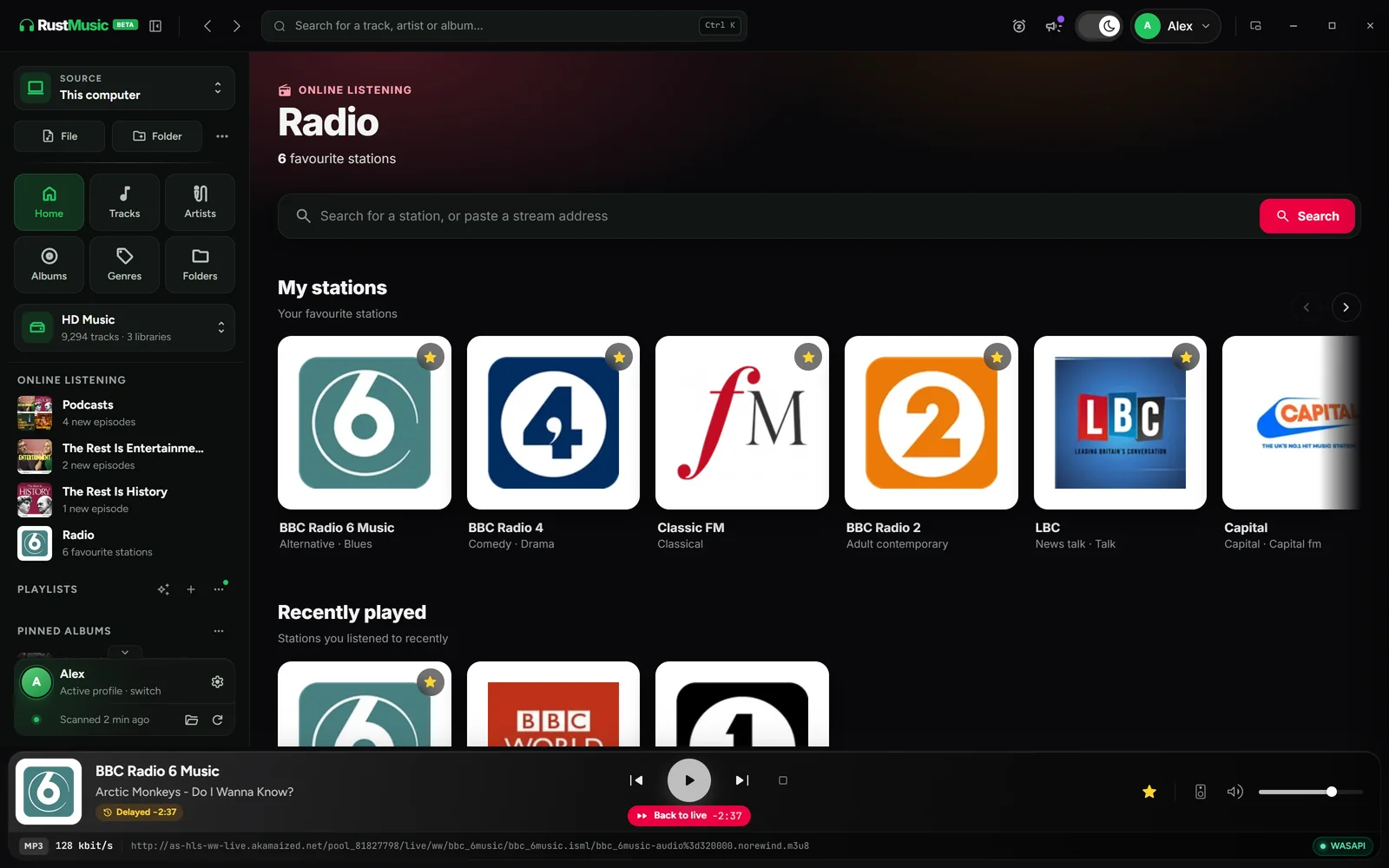
- Search by name in the “Search for a station, or paste a stream address” field.
- “Most popular”: the chart for the country chosen in the menu next to the heading, filterable by genre (News, Pop, Rock, Jazz, Classical, Electronic, Dance, Hip-hop, Chill, Talk, Oldies).
- A stream address (.mp3, .m3u, .pls) pasted into the field: the button becomes “Open”. If the directory knows the station, it is recognized with its name, logo and genres.
A station listed several times in the directory only appears once, in its best version. An AAC+ stream carries the “AAC+” badge: the decoder only plays it at reduced quality, and the sound seems muffled.
My stations and recently played
- “My stations”: a station’s star keeps it as a favorite.
- “Recently played”: the last 30 stations you started.
- “Heard on air”: the latest songs heard on your stations, when the station announces them. “Copy the title” copies one, “Clear” empties the history.
- Settings → Online listening → Radio → “Clear history” clears the recently played stations and the songs heard on air; your favorite stations stay.
A station’s “…” menu (or a right-click) offers “Listen”, favorites, “Stream quality” when the station offers several (AAC, MP3, bitrate), “Station website” and “Copy stream address”.
Listening live
When a station is playing, the player switches to radio mode: logo, station name, the current song when the station announces it, and a “Live” strip in place of the progress bar. Previous and Next move from one favorite station to the next. The mini player follows suit.
Only one source plays at a time: starting a station stops the music, whose queue stays intact, and starting a track again stops the radio. The computer doesn’t go to sleep while a station is playing.
Time-shifted pause
While paused, the radio keeps coming in: up to 30 minutes are kept, and playback resumes where you left it. The player shows “Delayed” with the delay, and the “Back to live” button catches up in one click.
The pause counts wherever it comes from: the player button, the keyboard, media keys or the sleep timer.
Dropouts and network players
- After a network dropout, the station reconnects on its own. If it is lost for good, a “The station stopped responding” message says so.
- HLS streams (Radio France…) are supported.
- On a UPnP network player or a Sonos speaker, the radio plays like a track.
Further reading
Question not answered?
Open an issue on GitHub: every report helps improve RustMusic and this documentation.